uWebChat Voice manual — Getting started with Teams telephony
Complete guide to uWebChat Voice, Universal Cloud's advanced Teams telephony solution. Learn about call queues, IVR, agents, reporting and more.
The completely redesigned uWebChat Voice portal is live
Native dashboards, AI transcription, visual IVR editor and Teams Presence integration.
See what's newuWebChat Voice is Universal Cloud's advanced telephony solution that seamlessly integrates with Microsoft Teams. With uWebChat Voice you replace your traditional PBX and save up to 40% on call costs.
What is uWebChat Voice?
uWebChat Voice provides business telephony via Microsoft Teams with advanced features such as call queues, IVR menus, call recording and real-time reporting. The management portal is accessible at portal.universal.cloud.
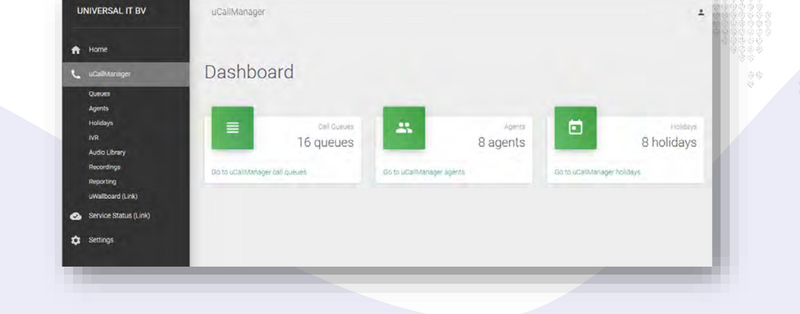
uWebChat Voice Dashboard
Terminology
| Term | Explanation |
|---|---|
| Call Queue | A queue that processes calls. Has agents, holidays and business hours. |
| Agent | A user in your organization assigned to call queues. |
| Holiday | Predefined dates when the queue is not available. |
| Default Queue | Queue based on business hours. |
| Shifts Queue | Queue based on Microsoft Shifts schedules. |
| Calling Strategy | Determines how agents are hunted (Round Robin, Ring All, etc.). |
| Hunting | The act of finding an available agent to offer a call to. |
| Presence | The availability status of an agent in Microsoft Teams. |
| IVR | Interactive Voice Response — caller input menus. |
Requirements
- PSTN numbers must be managed by Universal Cloud
- Global Admin access to your Microsoft 365 tenant (for Direct Routing configuration)
- Skype for Business Online (Microsoft 365) is not supported
Microsoft Teams license requirements
A Teams Phone Standard license is required for every user in the organization who will make or receive external (PSTN) calls. Direct Routing is provided by Universal Cloud, so a Calling Plan is not required.
Manual chapters
View the detailed guides per topic:
- Management portal & dashboard — Login, dashboard, permissions
- Graph API connection — Set up Microsoft 365 connection
- Configure call queues — Queues, business hours, Shifts
- Hunting & presence — Calling strategies, agents, availability
- IVR menus — Interactive menus and holidays
- Audio & call recording — Audio library and recordings
- Reporting & uWallBoard — Statistics and live wallboard
Chat With Us
Get instant help from our support team
News & Insights
Teams contact center: compare the best solutions for 2026
2026-04-06
Copilot Cowork: your AI execution layer in Microsoft 365
2026-04-04
The new uWebChat Voice portal is live
2026-03-31
Related Articles
Need More Help?
Can't find what you're looking for? Our support team is ready to assist.
Submit a Support Ticket