It's here: the completely redesigned uWebChat Voice portal went live today. Earlier we shared a sneak preview of what was coming — now it's available for all our customers.
What's new?
The portal has been rebuilt from the ground up. Here are the key improvements:
Reports and dashboards
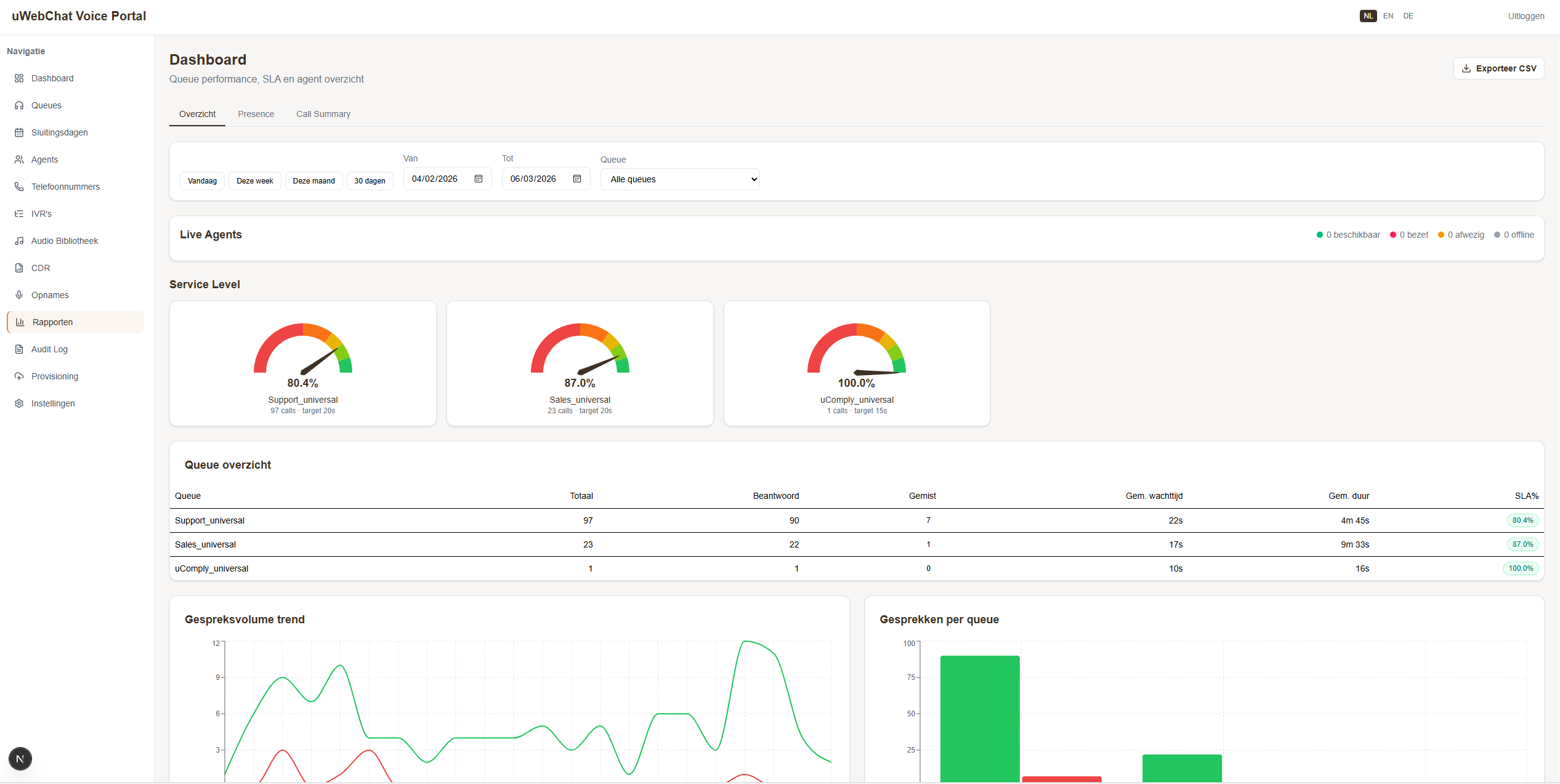
Real-time insight into your telephony with new dashboards right inside the portal. Queue statistics, SLA gauges, call volume charts and three new reports: Teams Presence, Call Summary and Analytics.
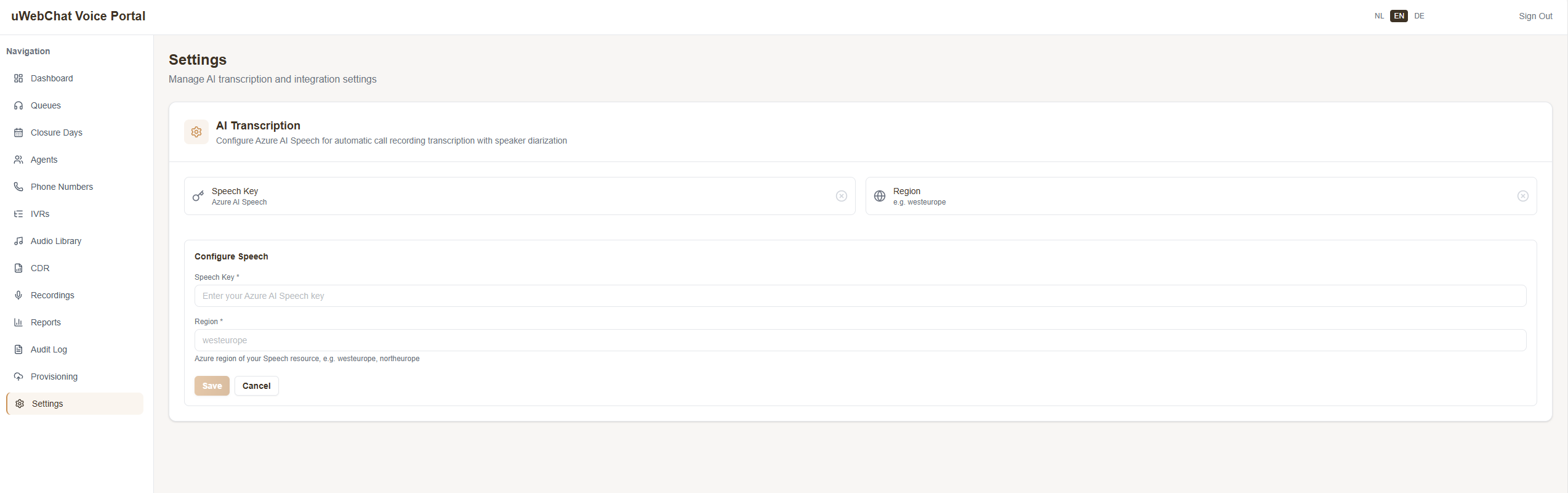
AI transcription
Connect your own Azure AI Speech key and get full transcripts of calls. See who said what, search through transcripts and use them for quality monitoring.
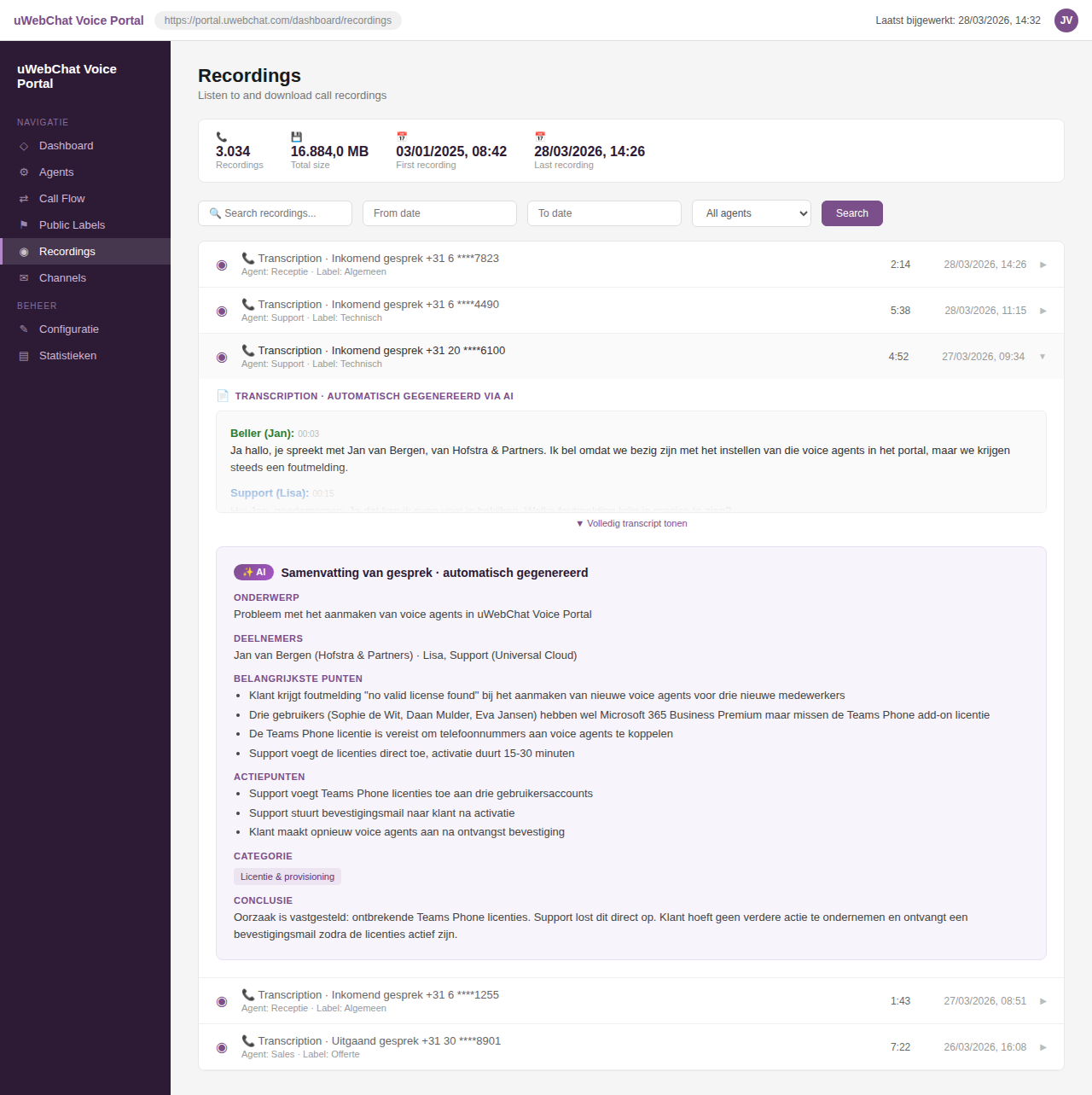
Every call is automatically summarised by AI, including topic, action items and conclusion:
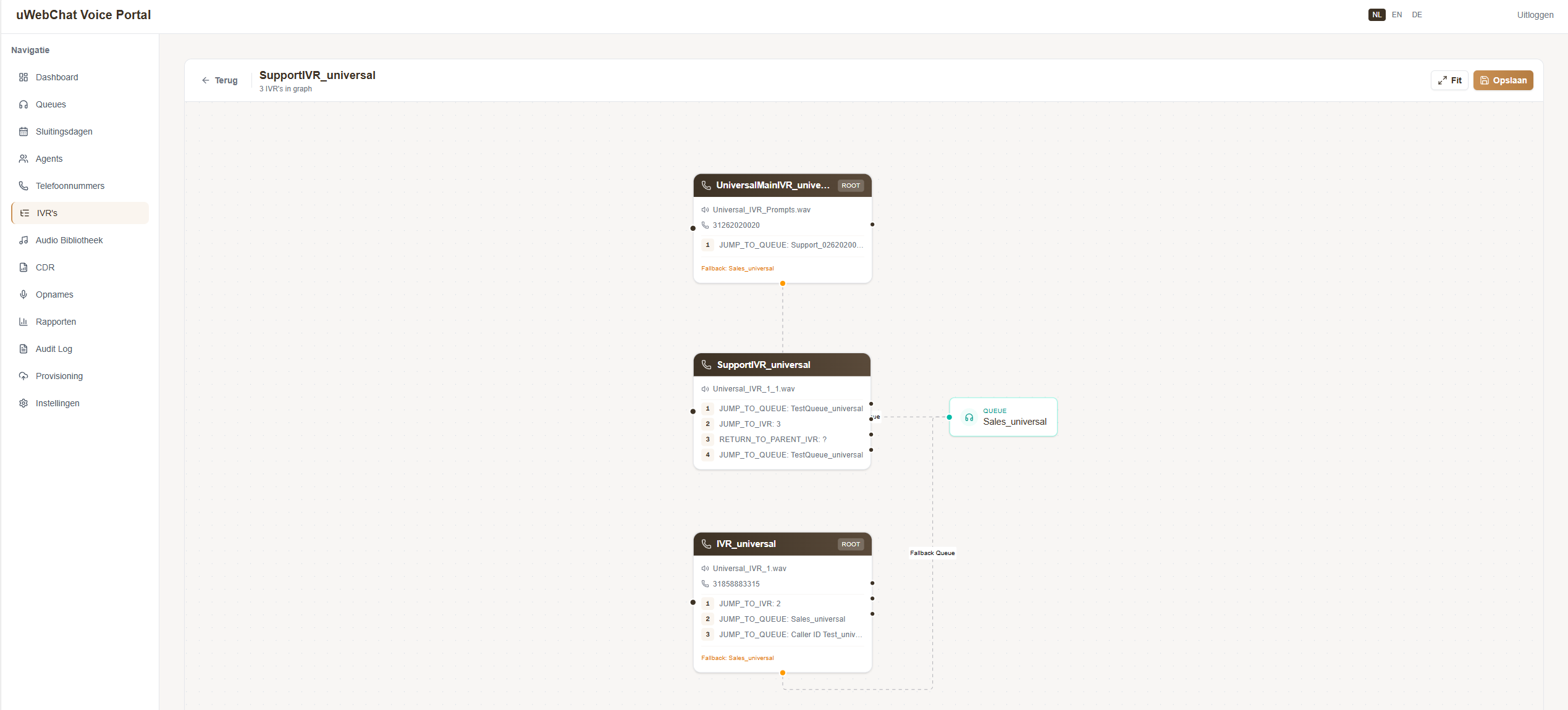
Visual IVR editor
Design call menus as a flowchart with drag & drop. No more configuration files — you can see exactly how the menu looks and works.
Teams Presence integration
Agent availability status is retrieved in real time from Microsoft Teams and is now visible directly in the portal. See at a glance how many agents are online. Is an agent in a meeting? They are automatically paused in the queue — no more missed calls. Additionally, advanced availability statistics per agent are now easy to review through the new Presence reports.
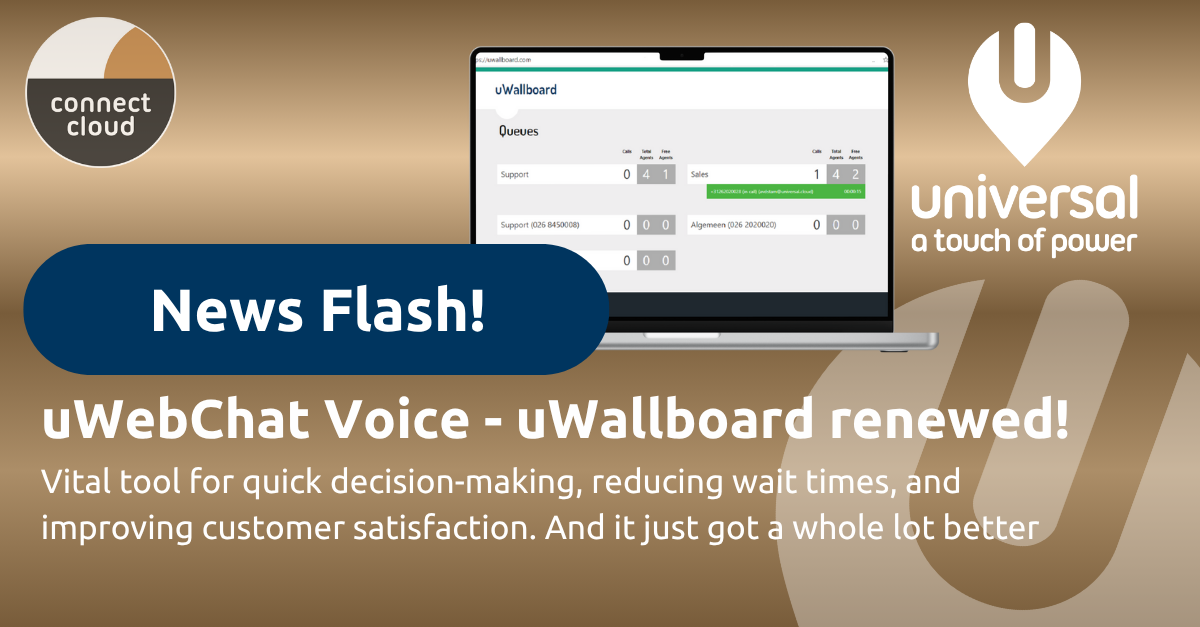
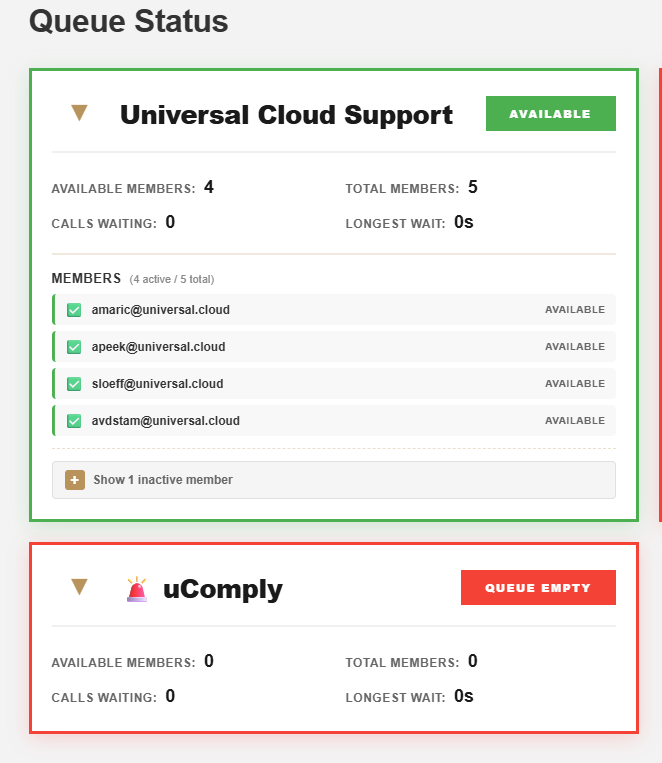
Redesigned uWallboard
The uWallboard has been completely redesigned with real-time wallboards showing queue statuses, agent overviews and SLA percentages. New are the active notifications: the system automatically alerts you when, for example, a queue has no available agents. Perfect for a screen in the office or as a daily overview for team leaders.
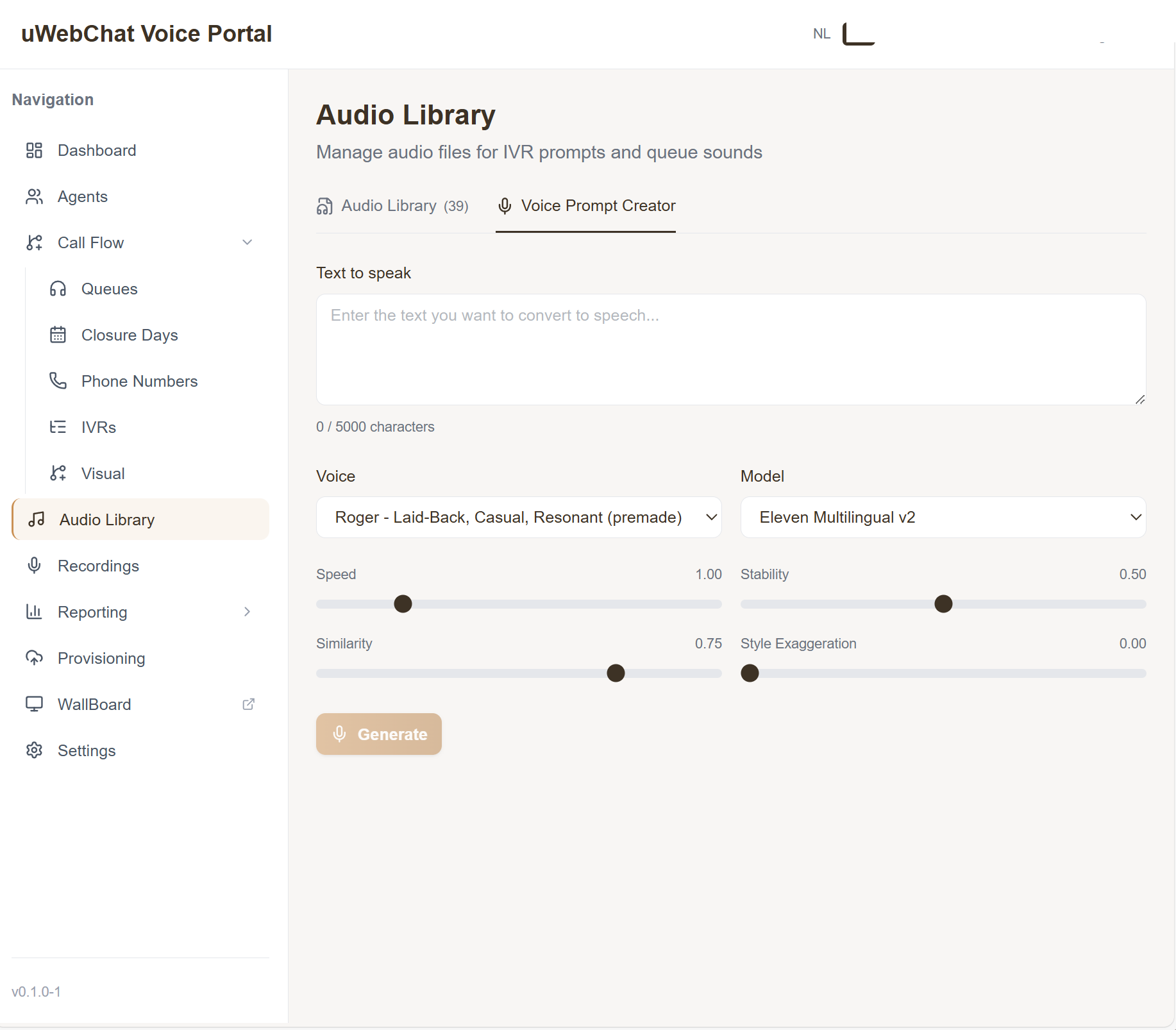
Voice Prompt Creator
Generate professional IVR prompts and hold music messages with AI voices, right from the portal. Choose from dozens of voices, adjust speed and style, preview the result and save it directly to the Audio Library. No studio or voice-over artist needed.
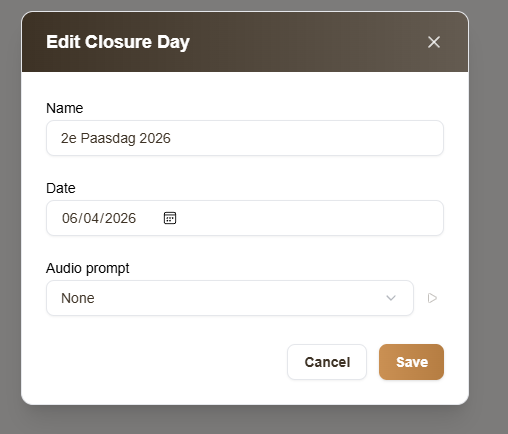
Closure days
It was always possible to add custom closure days, but new is that you can now choose a custom audio message per closure day. Useful when you want callers to hear a specific message — for example during a team outing or company event. Link closure days to specific queues for maximum flexibility.
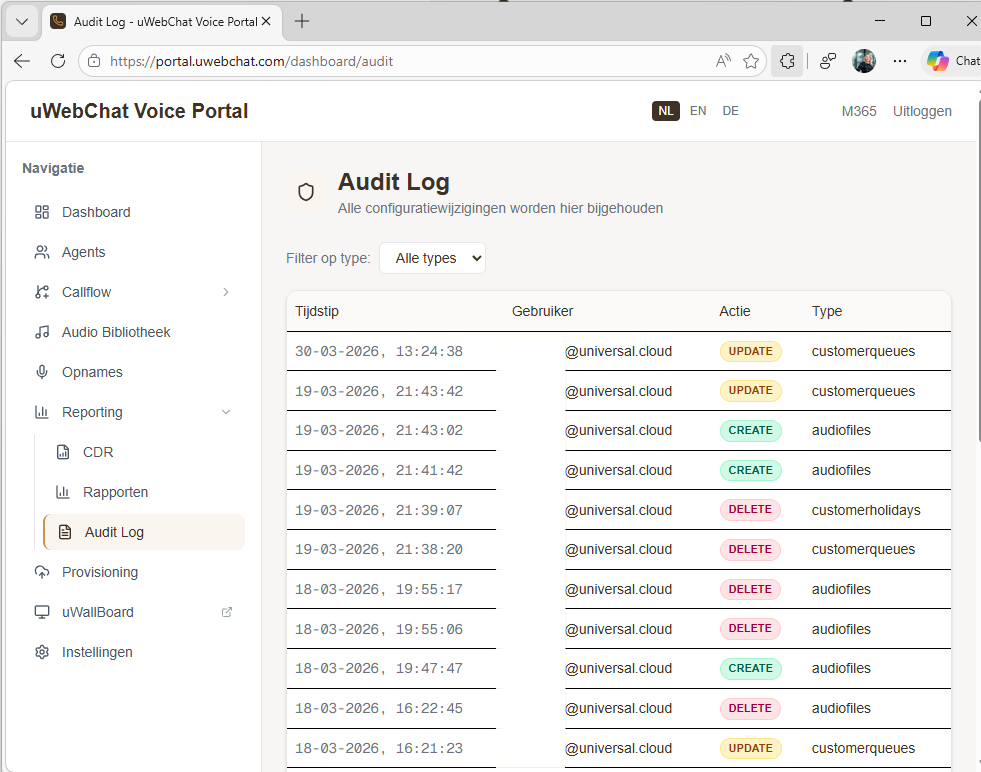
Audit trail
Every configuration change in the portal is logged: who changed what, when and in which entity — from queues and IVRs to agents and audio. Ideal for compliance and troubleshooting.
And more
- Audio library — Central management of welcome messages, IVR prompts and hold music
- Number overview — All SIP numbers with linked queues and IVRs
- Multilingual — Dutch, English and German
- Enterprise security — Role-Based Access Control with granular roles
Get started
All existing customers automatically have access to the new portal. Log in and discover the new features. The available modules depend on your uWebChat Voice license — missing features? Get in touch via the chat button on this site or speak to your account manager.