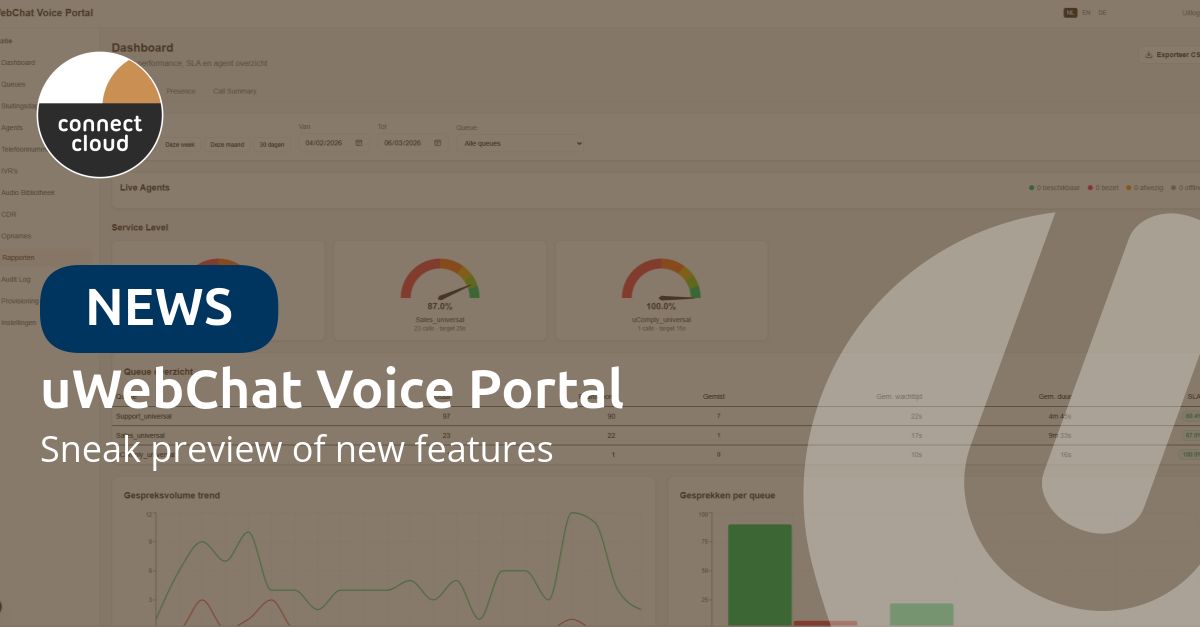
The new version of the uWebChat Voice Portal is almost ready. Over the coming weeks, we'll be rolling out a completely redesigned portal with native dashboards, AI transcription, deeper Teams integration and a visual IVR editor. Here's a sneak preview of what's coming.
This new version has been shaped in large part by feedback from our customers. Your input is incredibly valuable and always welcome — together we make managing and using uWebChat Voice as simple and effective as possible.
Reports and dashboards
The dashboard has been completely rebuilt for even better insights. With real-time queue statistics, SLA gauges and call volume charts — right inside the portal.
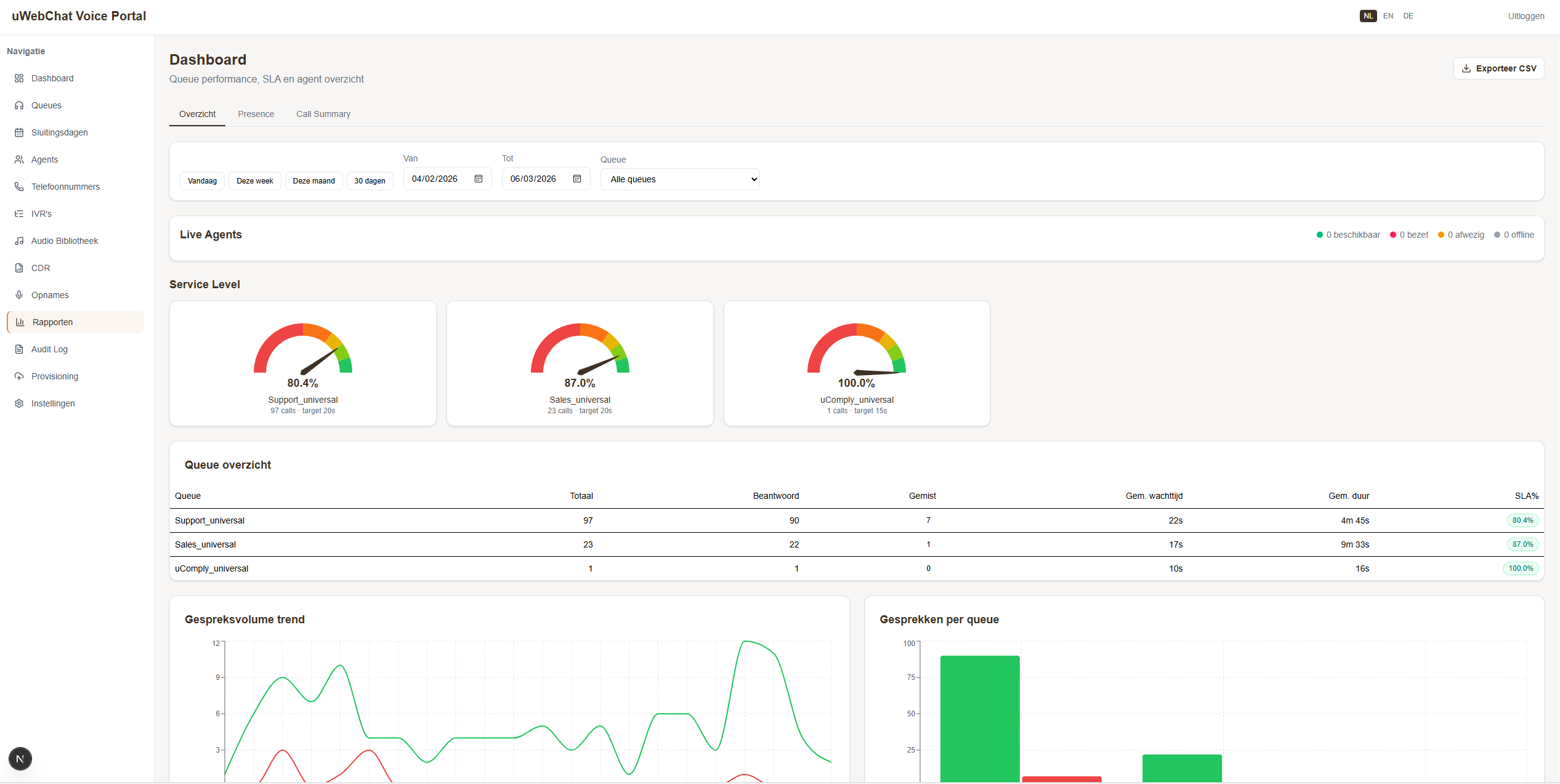
Three new reports are also being added:
- Teams Presence Report — Historical overview of agent availability with three drill-down levels: all agents → per day → per hour. Each time slot shows four statuses: Available, Busy, Away and Offline.
- Call Summary — Overview of all calls with drill-through to the complete call flow timeline: queue → ringing → connected → hung up.
- Analytics — Queue and agent performance with volume and trend analysis.
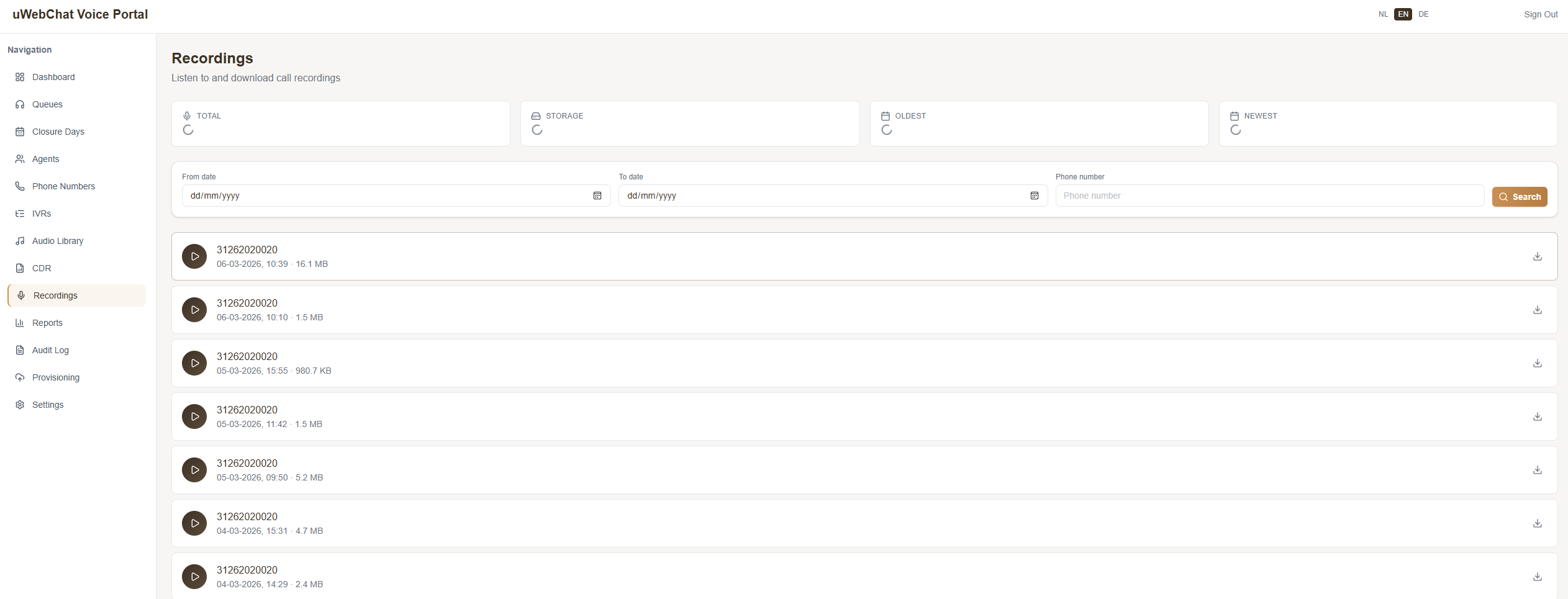
AI transcriptionNEW
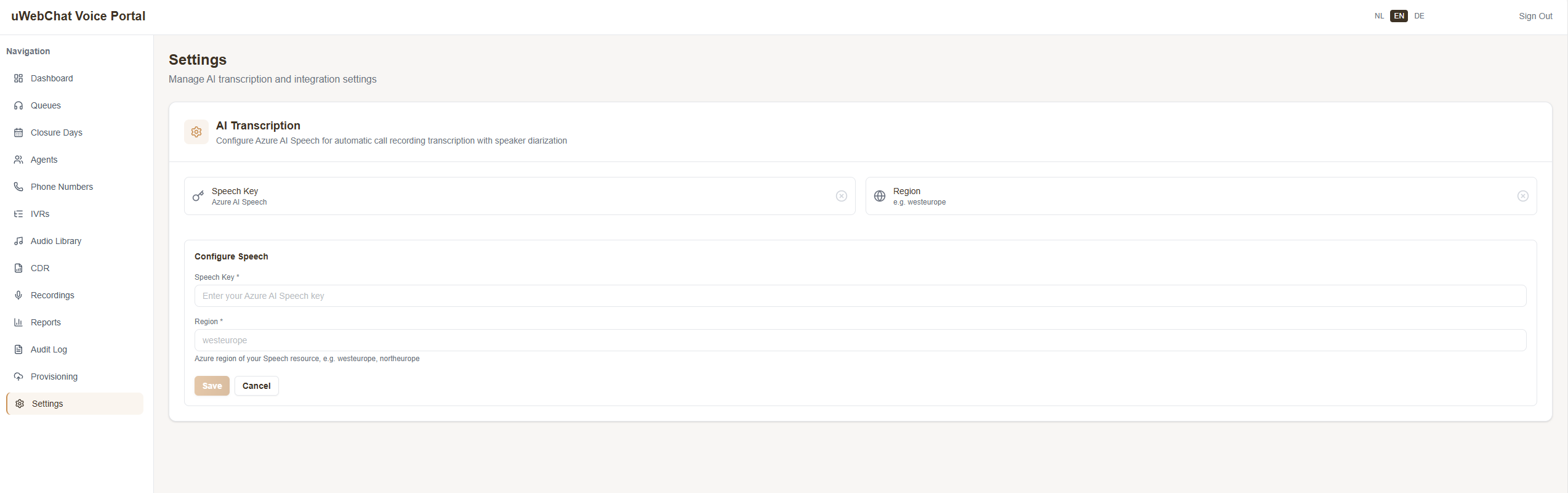
In the settings you can add an Azure AI Speech key to enable AI transcription. This allows you to access full transcripts of calls, so you can see exactly who said what.
Teams integration
The Microsoft Teams integration goes a step further:
- Live Teams Presence — Agent availability status is retrieved in real time from Microsoft Teams.
- Automatic pausing — When an agent has a Busy or Away status in Teams, they are automatically paused in the queue. No more missed calls from agents who are in a meeting.
- Graph OAuth connection — Easily connect to Microsoft 365 per tenant.
Queue and agent management
Queue and agent management has been completely redesigned:
- Queues — Create, edit and delete with agents, priorities and opening hours.
- Agents — Full CRUD management with Office 365 integration and direct queue assignments.
- Ring All validation — Automatic check that all agents have the same priority when using the Ring All strategy.
- Closure days — Manage holidays and closure days with custom audio messages per day.
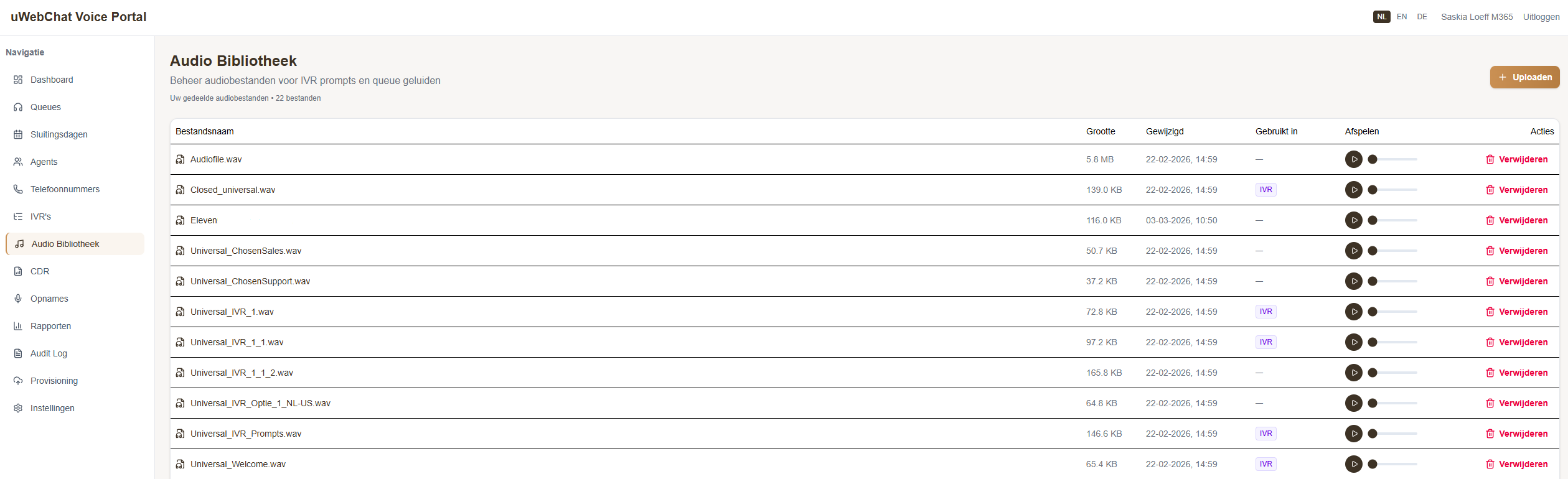
Audio library
All audio files — welcome messages, IVR prompts, hold music — are now managed from a central library. Upload, listen and manage everything in one place. IVR/Queue badges show you exactly where a file is being used.
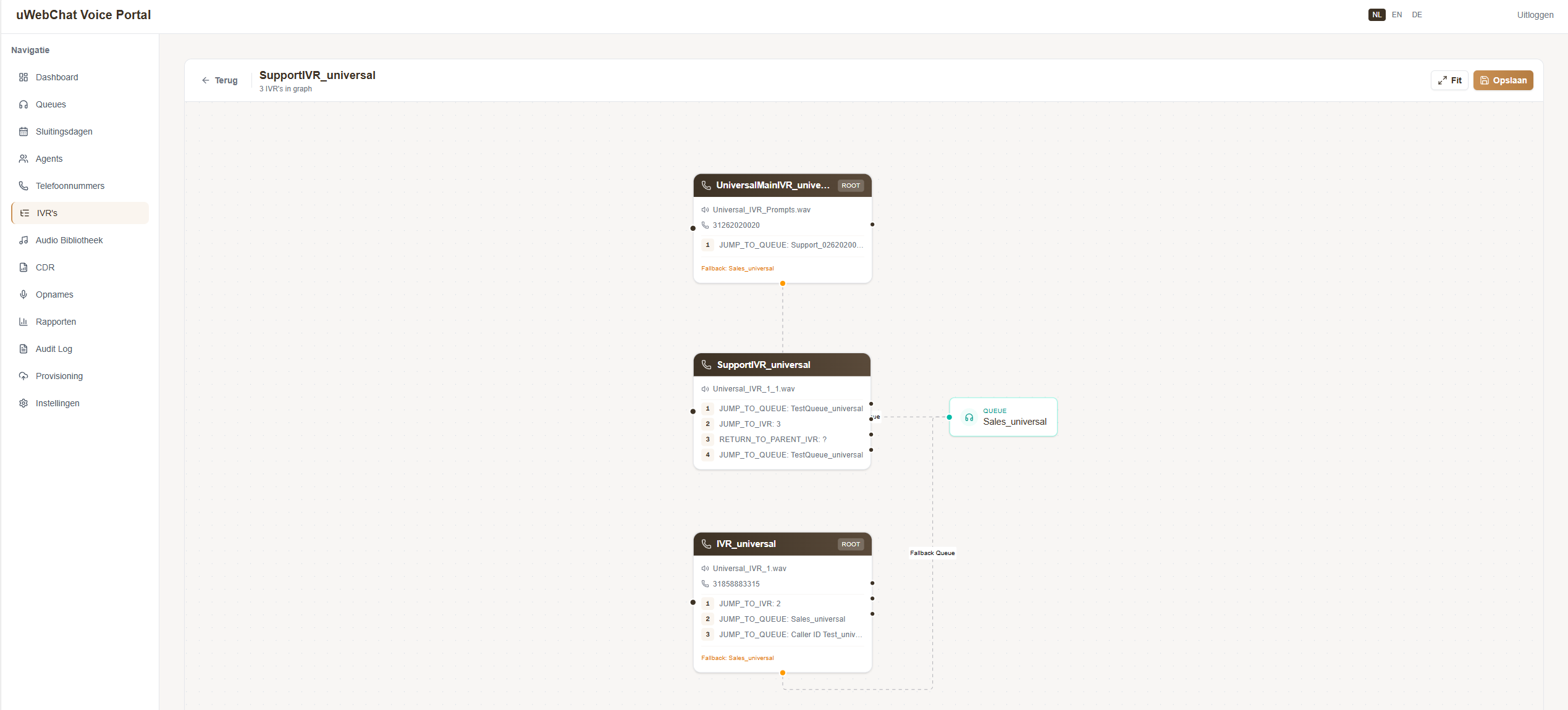
Visual IVR editorNEW
One of the most notable additions: the visual IVR editor. Design call menus as a flowchart with drag & drop on a canvas. No more configuration files — you can see exactly how the menu looks and works.
Phone numbers
- Number overview — All SIP numbers with linked queues, IVRs and agents in a single view.
- Provisioning — Bulk creation of SIP numbers and ranges.
Security and multi-tenant
The portal is built from the ground up with enterprise-grade security:
- Universal Customer ID authentication — Single Sign-On via Universal ID.
- Multi-tenant isolation — Each customer sees only their own data with automatic tenant detection.
- Role-Based Access Control — Permissions based on roles: SysAdmin, Call Manager and Viewer.
- Audit trail — All changes are logged with user, timestamp and details.
And more
- Multilingual — The portal is available in Dutch, English and German.
- Per-tenant settings — Customer-specific configuration is securely stored via Azure Key Vault.
Coming soon
We'll be rolling out this update in phases over the coming weeks. Want to be among the first to try the new portal? Get in touch via our contact page or speak to your account manager.