Telecom is IT. We've been saying it for 20 years, yet in the market it still feels like two separate worlds. Many organizations manage their telephony and IT separately — with different vendors, different contracts and different support lines. While collaboration, calling, meeting, sharing, security and connectivity in 2026 should all rest on one integrated digital foundation.
Microsoft Teams makes that promise tangible. More and more organizations are replacing their traditional PBX with Teams — and it makes sense: your team already uses Teams daily for chat and meetings, so why maintain a separate phone system?
In this article we explain how calling via Teams works, compare the three available options, and provide concrete pricing so you can make an informed decision.
What is calling via Microsoft Teams?
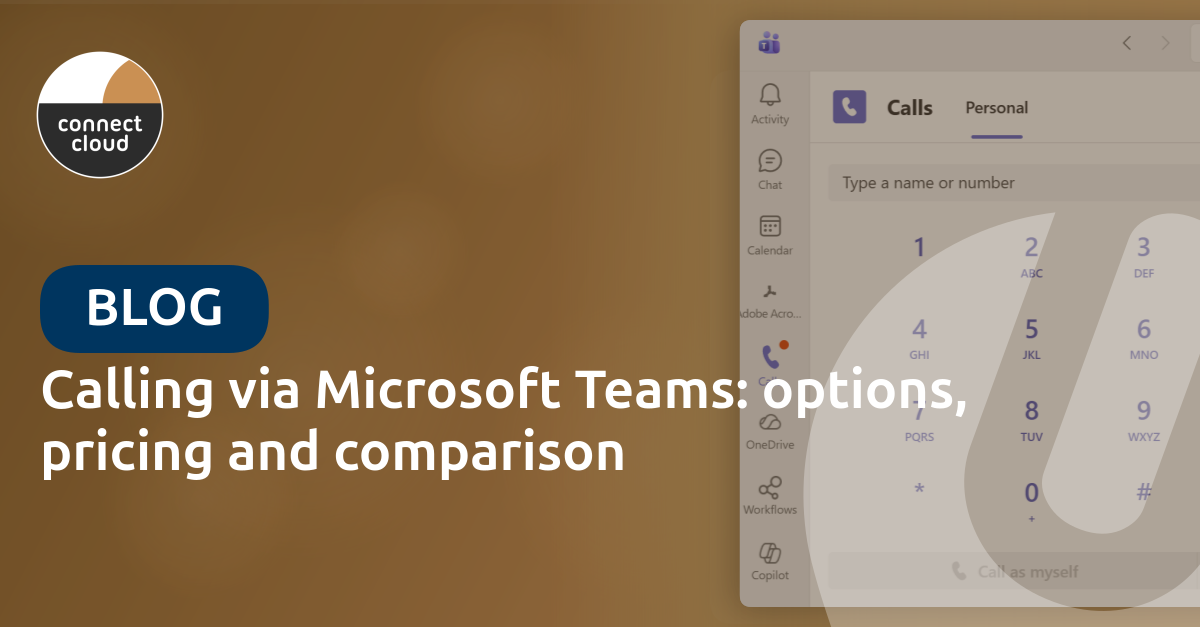
With Microsoft Teams Phone you add full-featured telephony to Teams. This means:
- Inbound and outbound calling with your fixed business number
- Call forwarding, queues and auto attendants just like a traditional PBX
- Calling from any device — desktop, laptop, smartphone or IP phone
- One number, reachable everywhere — ideal for hybrid work
This completely replaces your existing PBX system. All employees call via the Teams app they already know.
Three options compared
There are three ways to add telephony to Microsoft Teams. Each option has its own pros and cons.
Direct Routing (recommended)
With Direct Routing you connect Microsoft Teams to a SIP trunk via a certified Session Border Controller (SBC). Universal Cloud manages the SBC infrastructure, so you don't need to purchase any hardware.
Advantages:
- Up to 40% lower call costs through least cost routing compared to traditional telephony
- Full control over call routing
- Keep all existing numbers via number porting
- Not dependent on Teams availability — if Teams goes down, your phone numbers remain reachable
- Easily add additional services such as live chat, WhatsApp integration, contact centre features and integration with CRM or helpdesk systems like TOPdesk, Salesforce, Dynamics 365, ServiceNow and HubSpot
- Local support from Universal Cloud
Operator Connect
With Operator Connect you activate telephony via a Microsoft-certified telecom operator, directly from the Teams Admin Center.
Advantages:
- Simple activation without your own SBC management
- Certified call quality
- Managed infrastructure by the operator
Microsoft Calling Plans
With Calling Plans you buy call minutes directly from Microsoft. The simplest option, but also the most expensive. You place full management — numbers, call flows and availability — entirely with Microsoft. There is no "breakout" via other providers: all traffic runs exclusively through the Microsoft network.
Advantages:
- Fully managed by Microsoft
- No own infrastructure needed
Disadvantages:
- Limited number availability in many countries
- Higher cost per minute
- Less flexibility and control
- Fully dependent on Microsoft for number management, call flows and availability
Comparison table
| Feature | Direct Routing | Operator Connect | Calling Plans |
|---|---|---|---|
| Keep existing numbers | Yes | Yes | Limited |
| Flexibility & control | High | Medium | Low |
| Cost control | High | Medium | Low |
| Ease of setup | Medium | High | High |
| Local support | Yes (Universal Cloud) | Via operator | No (Microsoft) |
| Best for | Organisations wanting maximum flexibility, integration and service quality | Enterprise with high volume call traffic | Small teams with simple call flows |
How much does calling via Teams cost?
The costs consist of three components:
| Component | Cost | Details |
|---|---|---|
| Teams Phone license | ± €8 /user/month | Microsoft license, required for calling. Add-on license on top of your Microsoft 365 subscription. |
| SIP trunk (Direct Routing) | €5 /channel/month | Per concurrent call channel, not per user. 25 employees ≈ 5 channels. Includes SBC management. |
| Call charges | From €0.02 /minute | National landline calling. Mobile and international on request. |
| Number porting | €1.50 /number/month | Per ported number. Discounts on number ranges. Porting takes 2-3 weeks. |
Check our CSP pricelist for current Teams Phone license rates, or our call rates for outbound call charges.
Example: 25 employees
A company with 25 employees pays with Direct Routing:
- Teams Phone license: 25 × €8 = €200/month
- SIP trunk: 5 channels × €5 = €25/month
- Total fixed: €225/month (excluding call charges)
Call charges are additional, but organizations with Teams telephony typically see dramatically lower outbound call costs because Teams-to-Teams calls (peer-to-peer) are completely free.
What do you need to get started?
To start calling via Microsoft Teams, your organization needs:
- Microsoft 365 subscription (Business Basic or higher) for each user
- Teams Phone license — add-on license on top of your Microsoft 365 subscription (approximately €8/user/month)
- Stable internet connection — minimum 100 kbps per concurrent call
- Headset or IP phone (optional) — calling also works via laptop or smartphone
No special hardware needed. No server room. No maintenance. Everything runs in the cloud.
Number porting: keep your existing numbers
A frequently asked question: "Can I keep my current numbers?" The answer is yes.
Through number porting we transfer all your existing phone numbers to Microsoft Teams. Your numbers remain your property at all times — you simply authorise Universal Cloud to service them. Want to switch providers in the future? You take your numbers with you. You always stay in control.
The cost is €1.50 per number per month, with discounts available on number ranges. The process takes an average of 2-3 weeks and is handled entirely by Universal Cloud. There's no downtime during the transition — you remain reachable at all times.
What does migration look like?
The transition from your current phone system to Teams Phone follows four steps:
- Assessment — We analyze your current telephony situation, map number porting and design the optimal solution
- Planning — Detailed migration plan with timeline, number porting and technical configuration
- Implementation — Phased rollout with training for your team. Standard implementation takes 2-4 weeks
- Optimization — Ongoing monitoring, fine-tuning of call flows and support
Which phone systems can you replace?
Teams Phone via Direct Routing replaces virtually any existing system:
- Traditional PBX systems (Avaya, Cisco, Genesys, Mitel)
- Hosted VoIP / Cloud PBX systems
- ISDN and analog phone lines
- Skype for Business (end-of-life October 2025)
Need more? Teams as a contact center
Teams Phone is ideal for standard business telephony. But does your organization have a reception, helpdesk or customer service team? Then you need more than basic telephony.
uWebChat Voice extends Teams Phone with advanced contact center features:
- Queues with skill-based routing — calls automatically directed to the right agent
- Real-time wallboards — live overview of queues, availability and performance
- Comprehensive reporting — insights into service levels, wait times and call volumes
- CRM integration — customer information visible during calls
- Omnichannel — voice, webchat and WhatsApp from one Teams inbox
The best part: uWebChat Voice builds on the same Teams Phone infrastructure. You don't need to start over — it's an extension of what you already have. Read our comparison of Teams contact center solutions for a complete overview.
Conclusion
Calling via Microsoft Teams is no longer a future vision — it's a proven solution used by thousands of organizations daily. With Direct Routing you combine the best price with maximum flexibility, while your team works in the familiar Teams environment.
The choice between Direct Routing, Operator Connect and Calling Plans depends on your situation. For most SMB organizations, Direct Routing via Universal Cloud offers the best balance between cost, control and support.
Want to know what Teams telephony means for your organization? Visit our Teams Phone page or contact Universal Cloud for a free consultation.