Comprehensive reporting
Deep insight into your contact center performance
Analyze service levels, agent availability, call volumes and detailed call flows from the uWebChat Voice portal. From high-level KPIs to the exact path of every caller.
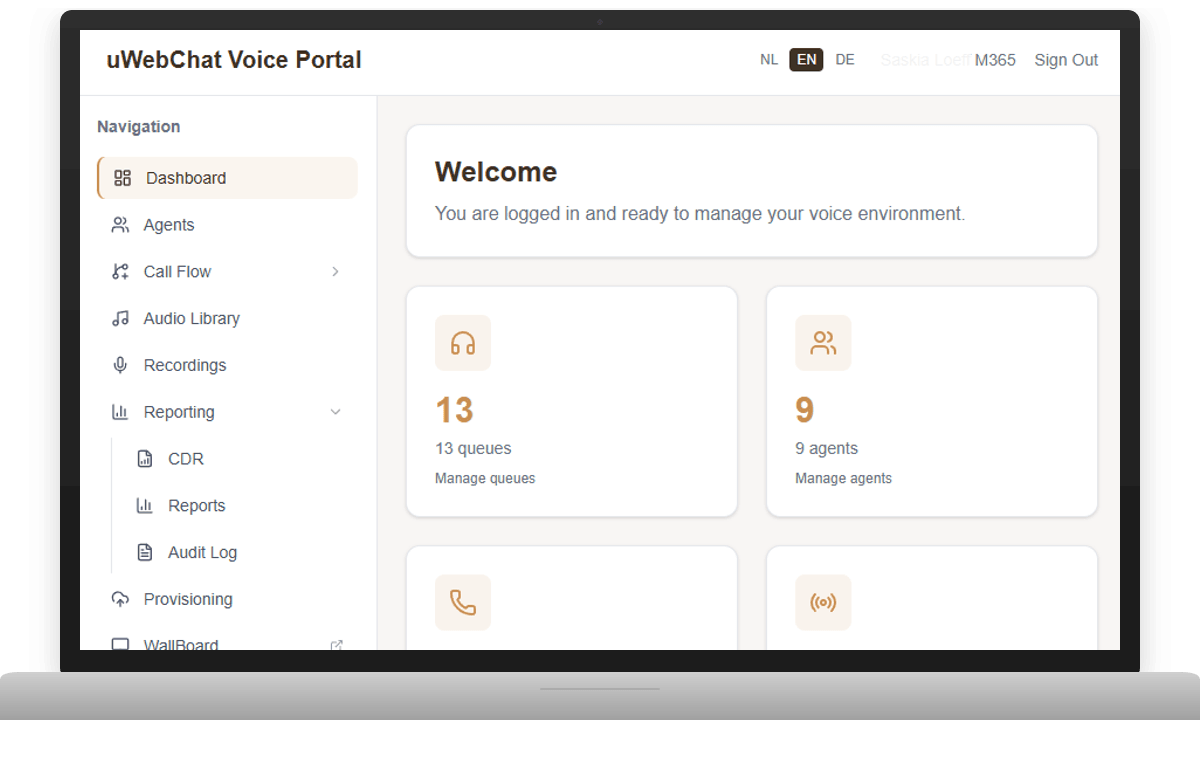
Data-driven decisions for your contact center
The uWebChat Voice portal offers comprehensive reporting that helps you continuously improve your contact center. View service levels per queue, track agent availability, analyze answered and missed calls, and follow the exact path each caller takes through your system.
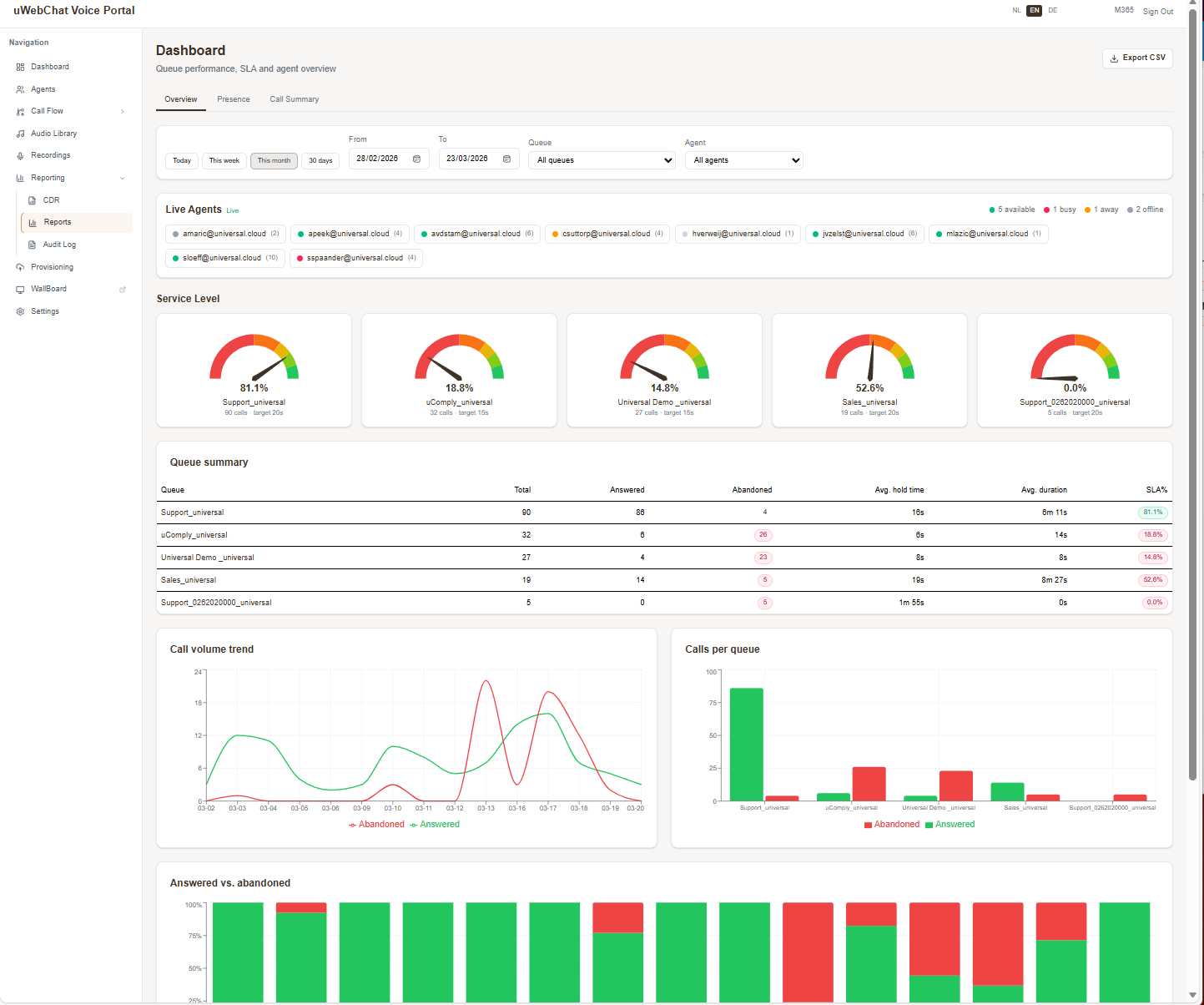
Service level dashboard
See at a glance how your queues are performing. The service level gauge shows immediately whether you're meeting your SLA targets. Queue summary provides totals for answered and abandoned calls, average hold time and call duration. Charts display call volume trends and answered vs. abandoned ratios over time.
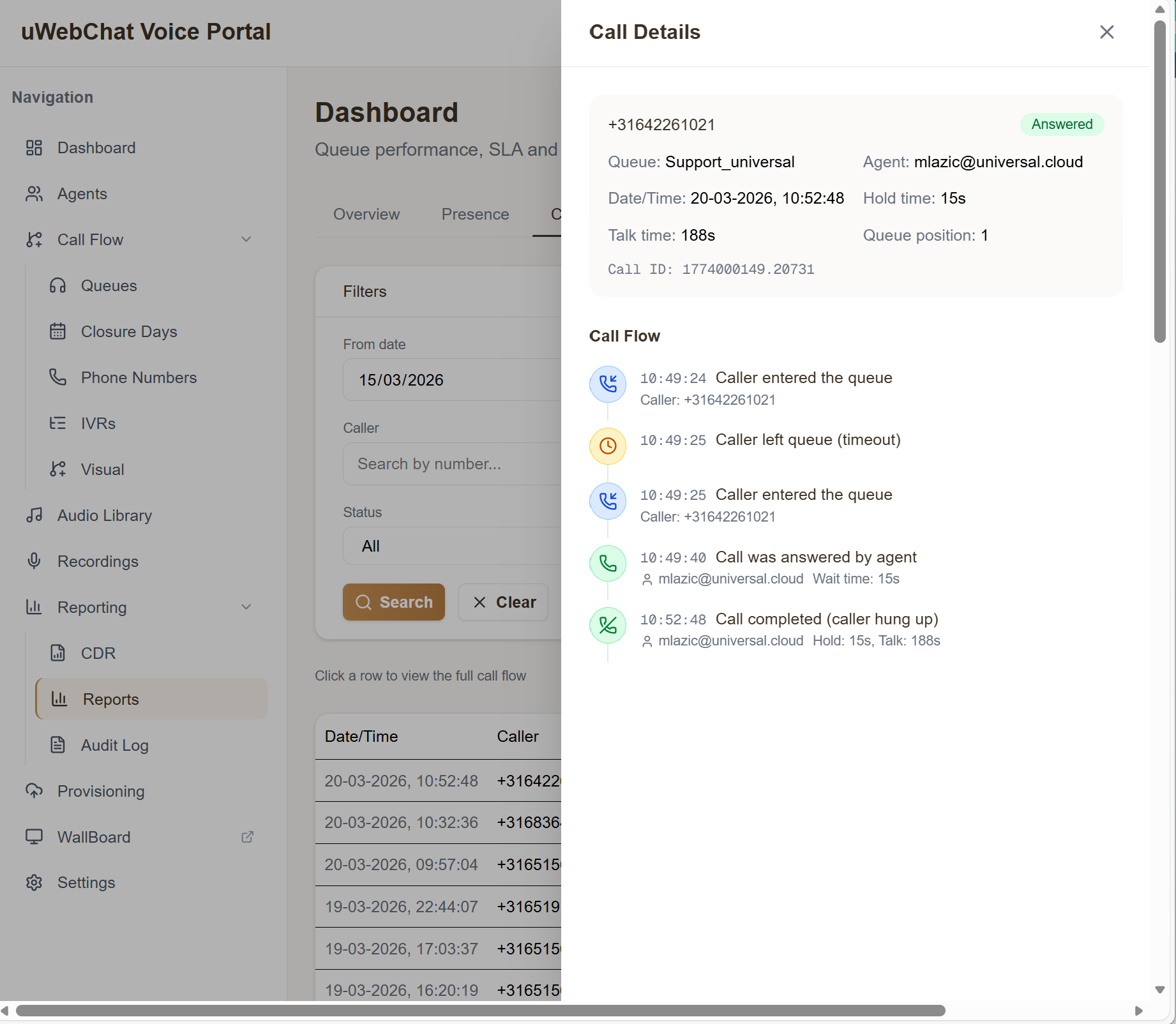
Detailed call flow analysis
Follow the exact path of every caller through your system. See precisely when a call enters, which agents were hunted, how long each step took, and what the outcome was. Ideal for optimizing routing and identifying bottlenecks in your call handling.
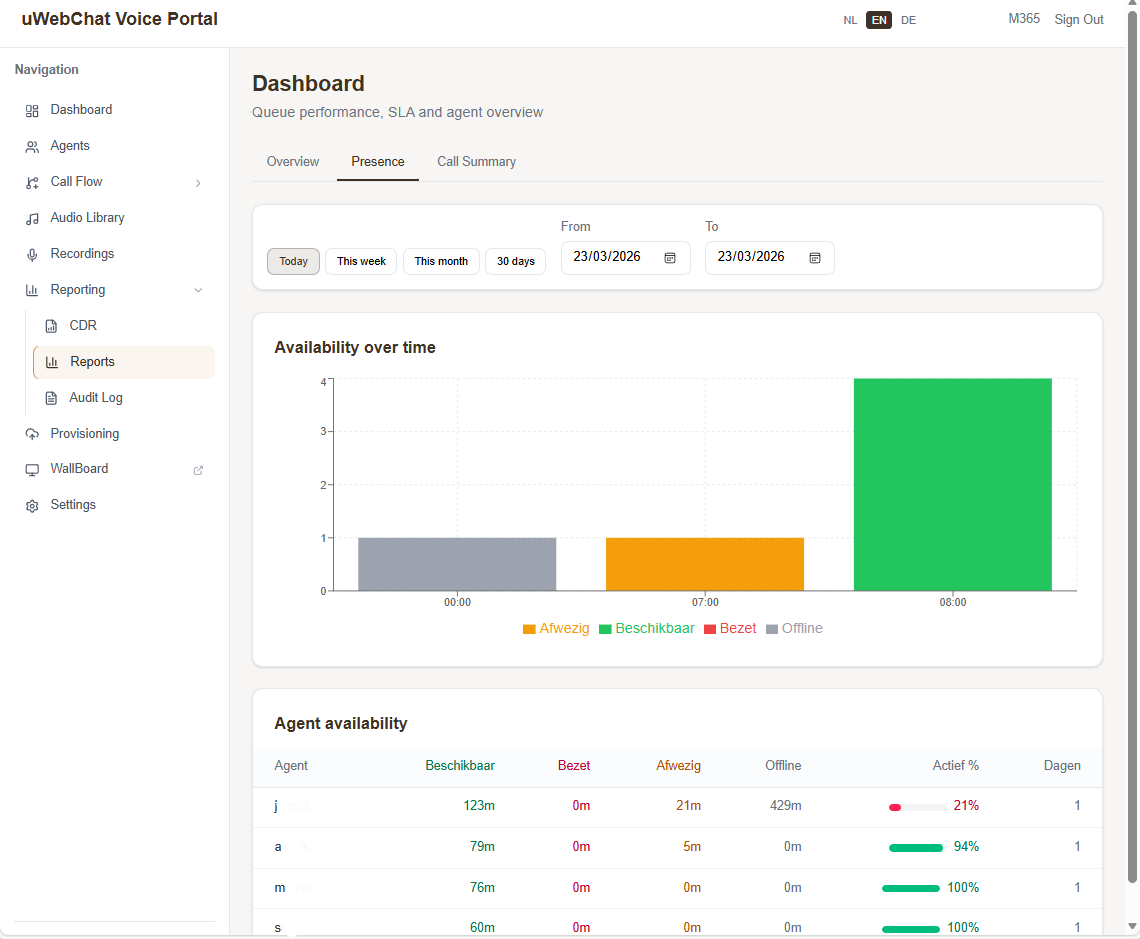
Agent presence overview
Monitor the availability and performance of your agents. See who is available, which queues are assigned, and how workload is distributed. Configure agent settings like interface type, extension number and fallback number directly from the portal.
Reporting capabilities
All the tools you need for contact center analysis
Service level per queue
Measure your SLA per queue with configurable targets. See immediately what percentage of calls are answered within the target time.
Call detail records (CDR)
Access detailed call records with timestamps, duration, agent assignment and call outcome for each individual call.
Abandoned call analysis
Identify when and why callers hang up. Analyze patterns in missed calls to optimize your routing and staffing.
Agent productivity
Track call counts, average call duration and availability per agent. Compare performance between agents and teams.
Historical trends
View call volume trends, SLA performance and wait times over days, weeks or months. Recognize patterns and plan your staffing ahead.
Visual call flow
View the complete path of a call: from entry via IVR and hunting to answer or timeout. Including duration per step.
uWebChat Voice
Part of uWebChat Voice
Reporting is one module within the uWebChat Voice contact center platform. Explore the other capabilities:
Explore uWebChat VoiceWant more insight into your contact center?
Schedule a demo and discover how uWebChat Voice reporting helps you make better decisions.