Anyone working with shift-based teams knows the difference between "who should be taking calls" and "who is actually on duty right now". In uWebChat Voice you tie the two together with Shifts queues: call routing follows the schedule, so only agents who are on duty at that moment get called. We've redesigned this feature — and the biggest change is that you now manage everything from a single portal.
One portal for both schedule and routing
Previously, uWebChat Voice integrated with Microsoft Shifts, and you managed your schedules there. It worked, but it came with practical hurdles. Authorization was more complex — a Shifts administrator isn't always the same person as the queue administrator — and you constantly switched between two environments.
From now on, you create and manage schedules entirely within the uWebChat Voice Portal. No more integration with Microsoft Shifts, no separate authorizations, no detour. Whoever manages the queue also manages the schedule. Everything in one place.
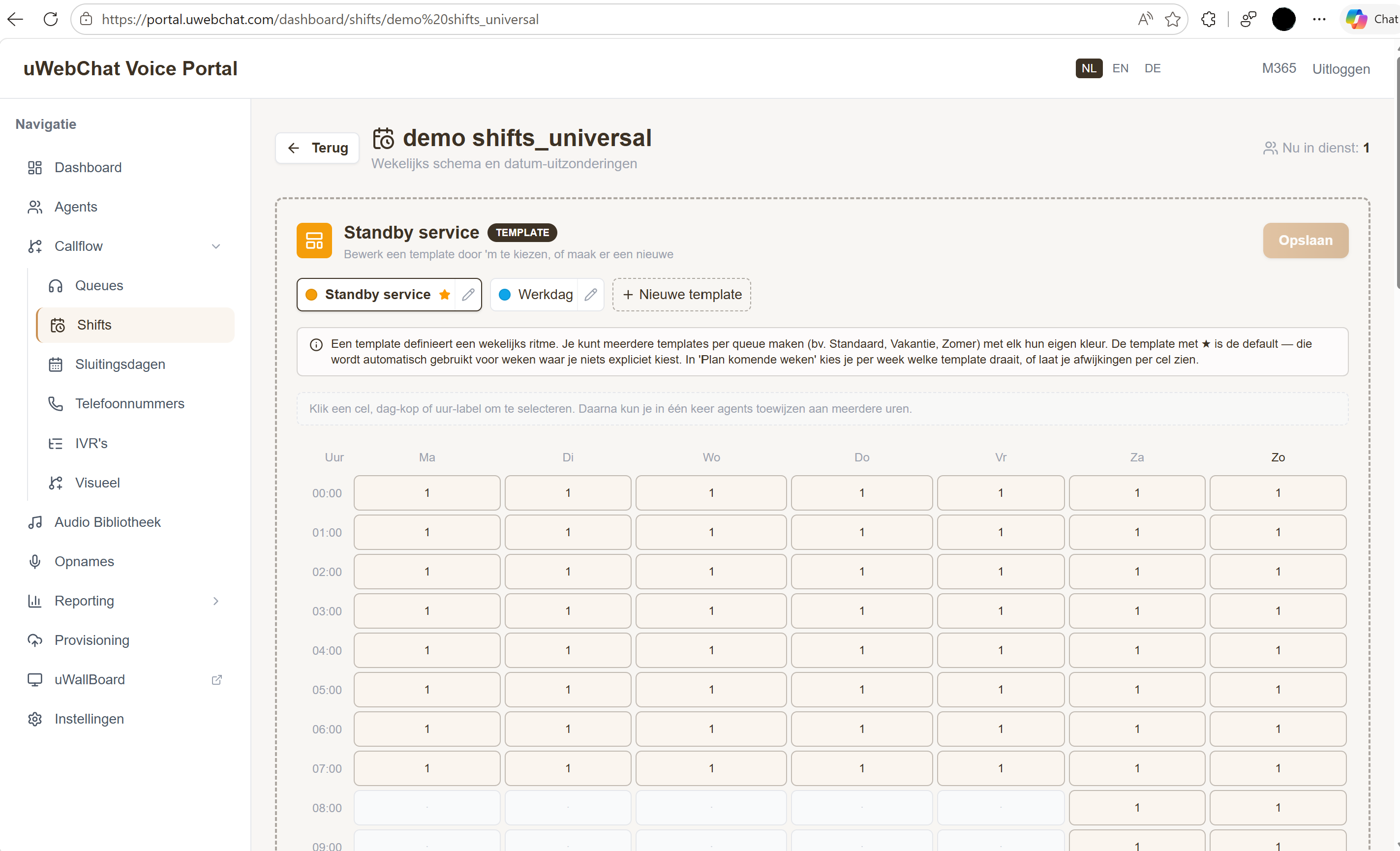
Finer-grained, more flexible planning
Because schedule management now lives natively in the portal, you can plan in far more detail. The biggest gain: you can now make changes per hour instead of only per day. If you work with templates — say a standard workday and a different weekend rhythm — you place them side by side and adjust individual time slots wherever needed.
The result is a schedule that follows the reality of your shifts, accurate down to the hour.
How it works: standard or Shifts queue
The overall setup remains the same as you're used to. When creating or editing a queue, you choose its type:
- Default — The familiar queue. Routing follows your chosen strategy and the assigned agents.
- Shift — Routing follows the schedule: whoever is on duty at that moment receives the call.
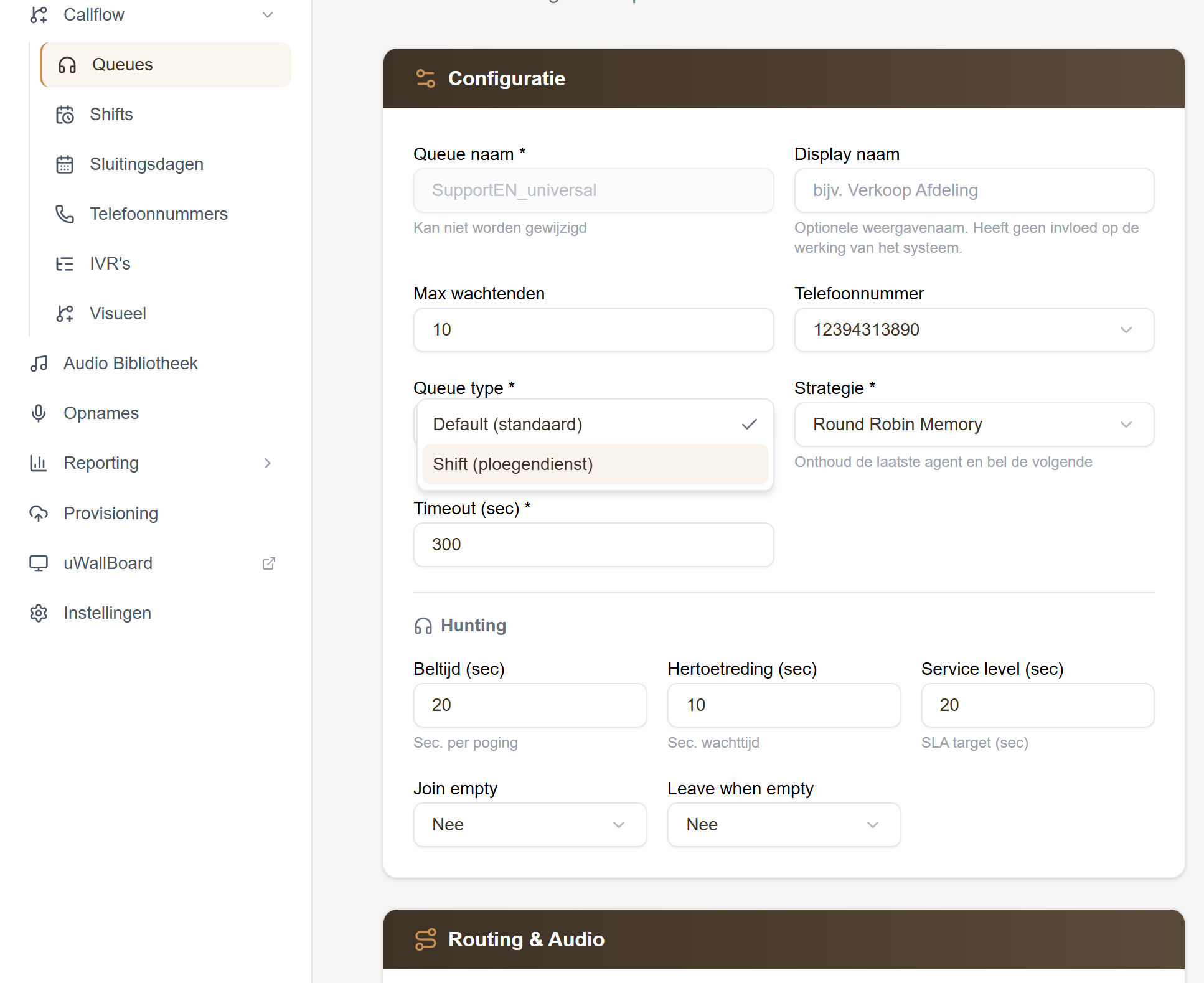
A single choice in a dropdown is all it takes to make a queue schedule-driven.
See who's on duty at a glance
The Shifts view isn't just useful for the administrator. The rest of the team can also see at a glance who's on duty at any given moment. That makes staffing transparent: colleagues know who's catching the calls, without having to look it up in a separate tool.
Our view
This redesign fits where we're heading with the uWebChat Voice Portal: as much management as possible in one central place, without relying on separate integrations and without fragmented authorizations. Less switching between tools means fewer mistakes and faster adjustments when staffing changes.
Want to know how Shifts queues can simplify your shift planning and availability? Get in touch or talk to your account manager — we're happy to help.